eTicket
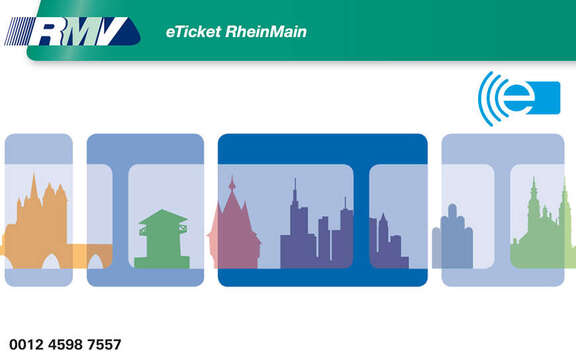
© RMV
The eTicket is the electronic ticket on the RMV smart card. Season tickets are saved electronically on the smart card as eTicket. The smart card can therefore be used again and again to purchase tickets.
The following tickets are issued via eTicket on the smart card:
- RMV Annual season tickets: Named annual season ticket, Transferable annual season ticket, Hesse senior citizen ticket
- Supplementary season tickets for travelling in First Class
- Schülerticket Hessen for school students and apprentices
- CleverCard for school students and apprentices
- Monthly ticket for adults
- RMV Weekly ticket for adults
- Monthly ticket charged at training rate
- Weekly ticket charged at training rate
Exception: tickets for cross-network fare zones will still be issued in paper form.
You can get the smart card at the eTicket sales offices.
Electronic tickets on the smart card are available at the eTicket sales offices. These are the RMV sales offices with the light blue eTicket logo and the Deutsche Bahn travel centres.
Weekly and monthly tickets for adults are also transferred to your smart card at ticket machines bearing the eTicket logo. Be sure to always have your smart card with you to do so. eTicket-compatible RMV ticket machines can be found at the stations and rail stops for regional traffic.
To purchase, place the smart card on the area marked with the (((e logo and purchase your ticket as usual. The new ticket will then be added to your smart card within seconds.
Currently, Verkehrsgesellschaft Frankfurt (VGF) ticket machines in Frankfurt are also being upgraded, to enable purchasing electronic weekly or monthly tickets for adults.
All subscribed RMV annual tickets and within the transport district can also be booked online via RMV TicketShop. There you can also buy weekly and monthly tickets for adults (except for cross-network fares) to store on your eTicket smart card.
If your smart card is not registered in your name, you can only have it replaced at the sales office by showing the purchase receipt you received when your smart card was first issued. If you did not receive a purchase receipt for the smart card or if you disposed of it, please contact the sales office that issued it prior to possible replacement, to obtain it again (the receipt for a ticket purchase is not accepted!).
If you do not yet have a smart card and are not already an annual ticket or CleverCard subscriber, you will receive the smart card when purchasing one of the tickets listed at the eTicket sales offices.
Depending on how you buy your ticket, you must consider the following:
- Sales point: Once the order has been placed and processed, your transport company will inform you of the date from which you can update your chip card.
- RMV-TicketShop: You must transfer your ticket electronically to your chip card before using it for the first time. You can collect weekly and monthly tickets electronically two days after ordering, but no later than on the first day of validity of the ticket. An annual ticket subscription can be picked up electronically from the 26th of the previous month from which the subscription is to be valid.
All RMV ticket machines in the RMV transport district have an eTicket read/write device, via which the electronic tickets are transmitted to the smart card. There, the eTicket can also be read or written with the electronically stored ticket for pick-up.
To do so, place the smart card on the area marked with the (((e logo. Within a matter of seconds, the new ticket will then be “written” on your eTicket, i.e. added and stored on the chip.
These machines can be found at every station with connections to suburban trains or DB regional trains.

© RMV
The graphic shows an RMV ticket machine with explanations.
It is mint-coloured with a blue vertical strip in the middle, the RMV logo is displayed in the upper part. Above this is a light mount containing a display with dynamic customer information (subject to location). Below the RMV logo, "Fahrkarten" is written in large font.
On the left at centre height is the touch display, at the bottom of the screen there is the foreign language selection bar (D, GB, F, I, E, TR). The dispenser tray (paper tickets, coins and receipts) is located below the screen.
In the central, vertical blue strip, at the very top, level with the edge of the screen, is the coin slot for cent coins in denominations of 5, 10, 20 and 50 cents as well as for one and two euro coins. Below this is the contact surface (reader) for the eTicket.
On the right-hand side, level with the writing "Fahrkarten", there is a field which contains a contact person and a telephone number in the case of a technical malfunction. Below this is the terminal for cashless payment transactions with girocard, VisaCard or MasterCard.
It contains a keypad at the top, a contact surface for contactless card payments underneath and a card reader at the bottom into which cards can be inserted.
There are two slots located below the payment terminal. The upper slot is used for cash payments and accepts banknotes in denominations of 5, 10, 20, 50 and 100 euros; the lower slot is the banknote dispenser.
During opening hours, you can have the changes stored in your name or the new ticket written on your smart card at the eTicket sales offices.
Please note that you can only obtain in-house customer services for the eTicket at the VGF (Frankfurt), ESWE (Wiesbaden) and HEAG mobilo (Darmstadt).
Your smart card holds the electronic information necessary for you to travel by RMV bus and rail – meaning your ticket with the route and validity period for transferable tickets along with the name, date of birth and gender for most individual tickets. If you would like to see for yourself what is stored on your eTicket, there are several ways of doing this.
All RMV ticket machines in the RMV transport district have an eTicket read/write device, via which the eTicket an be read.
To do so, place the smart card on the area marked with the (((e logo. The contents on your eTicket are quickly read and are then shown to you on the screen.
These machines can be found at every station with connections to suburban trains or DB regional trains.
© RMV
The graphic shows an RMV ticket machine with explanations.
It is mint-coloured with a blue vertical strip in the middle, the RMV logo is displayed in the upper part. Above this is a light mount containing a display with dynamic customer information (subject to location). Below the RMV logo, "Fahrkarten" is written in large font.
On the left at centre height is the touch display, at the bottom of the screen there is the foreign language selection bar (D, GB, F, I, E, TR). The dispenser tray (paper tickets, coins and receipts) is located below the screen.
In the central, vertical blue strip, at the very top, level with the edge of the screen, is the coin slot for cent coins in denominations of 5, 10, 20 and 50 cents as well as for one and two euro coins. Below this is the contact surface (reader) for the eTicket.
On the right-hand side, level with the writing "Fahrkarten", there is a field which contains a contact person and a telephone number in the case of a technical malfunction. Below this is the terminal for cashless payment transactions with girocard, VisaCard or MasterCard.
It contains a keypad at the top, a contact surface for contactless card payments underneath and a card reader at the bottom into which cards can be inserted.
There are two slots located below the payment terminal. The upper slot is used for cash payments and accepts banknotes in denominations of 5, 10, 20, 50 and 100 euros; the lower slot is the banknote dispenser.
During opening hours, you can have the stored electronic ticket read from your smart card at the eTicket sales offices.
Please note: VGF (Frankfurt), ESWE (Wiesbaden) or HEAG mobilo (Darmstadt) each provide their own services. Nevertheless, you can have your electronic ticket read out at their respective sales offices.
Registration makes replacement easier, in the event you ever lose your eTicket. For example, a purchase receipt is not required when ordering a replacement. However, registration is not required to use the ticket!
You can register the eTicket right at the sales office or online. When purchasing products such as annual tickets (without a subscription) or monthly tickets, the choice is yours: The employees will gladly register your smart card to your name in the system, so it can be replaced quickly without a purchase receipt should you ever lose it. When purchasing individual annual subscriptions and CleverCards, the eTicket is automatically registered to your name in the system.
Visit "meinRMV" to register your mobility ticket. To do so, first follow the simple registration steps at "meinRMV". You will receive the registration data (smart card number and password) from the contracting partner together with your smart card. In your "meinRMV" account, go to "Managing My Chip Cards" to access the following:
- General information concerning the technical validity of your smart card
- Information about the smart card user can be edited online
- Order a replacement smart card (including blocking) if your card is lost or broken
- View all (active) tickets stored on your smartcard
- active subscribed annual season tickets: edit the contractual data for those tickets (e.g. changing the adress or credit card details), and download the invoices for all subscribed tickets valid in the last 13 months
- View the last ten expired (no longer valid) tickets stored on your smart card
- Cancel the registration of your smart card
Please note: The online manager at meinRMV cannot be used for VGF (Frankfurt), ESWE (Wiesbaden) and HEAG mobilo (Darmstadt) smartcards at this time.
eTicket: Frequently asked questions
Search results for "":
Data privacy for the eTicket
The RMV has decided upon the Standard (((eTicket Deutschland for the conversion of the season ticket to the eTicket. The benefits are obvious: This nation-wide standard enables the use of smart cards for the first time in various networks. It is considered especially safe from misuse, manipulations or forgeries and it satisfies the high German data protection requirements. This standard has been developed in close cooperation with the Conference of the data protection commissioners of the federal government and the states and has been coordinated with the Commissioner for Data Protection of Hesse. The special focus in this was on data protection, data economy and consumer protection. Movement profiles should not and are not created with the eTicket. First and foremost, the passengers should have the highest possible data transparency and should be able to understand what happens with their data. For this, every holder of an eTicket can see his/her data stored in the RMV mobility centres – and can even have transaction data deleted.
There are three separate areas on the memory chip: Just like on a paper ticket, specific information is saved, which identifies the holder of the eTicket (personal data) and which season ticket has been acquired (ticket data). As a service function in the sense of consumer protection, the last ten transactions with the smart card are saved in a kind of log book (usage data). These are recorded as digital client voucher for complaints, for example, in order to submit proof when passengers have complaints. These control entries are comparable with machine printouts and endorser stamps in case of paper tickets. At the same time, they help in personal checking of individual eTickets, so that a stranger cannot use it. The following applies in principle: The eTicket is as good as money and should therefore be kept safe and protected like an EC or credit card.
In case of individual tickets, name, gender and date of birth of the passenger are saved on the smart card, so that the ticket holder can be identified during a check. Here, the name is not saved in clear text; rather, it is 'masked' with letters, numbers and special characters, that is, it is encrypted. Thus, the name can be matched, for example, with the help of the ID card, but cannot be read (Example: Max Mustermann, date of birth 01.03.2001, male, M1x@M8n 03/2001 M). Other data like a passport photo has been deliberately waived for the purpose of data economy. Therefore, the following is applicable for season ticket holders: Always carry the personal ID or another photo ID along with the eTicket. As regards passengers, who buy only transferable season ticket products, no personal data is saved on the smart cards.
Naturally, the season ticket that is acquired is also saved, that is the ticket type, for which tariff zones and for how long it is valid. During each ticket check, it is not just checked whether the travel permission is valid, but also whether the transferred data record is free of manipulations.
Furthermore, the smart card saves specific usage data in a log book: Always, when the eTicket is held at a checking device (so-called transactions) – for example in the bus or during a ticket check. Thereby, all journeys are not necessarily completely recorded, if for example in city train and metro journeys the eTicket did not come in contact with a checking device. Only the ten most recent transactions are saved. For the purpose of data economy, the old entries are overwritten one after the other from the eleventh entry. This usage data includes time, place and type of the transaction, the terminal number, the ticket/product number, the line and trip number. The checking device sends the data record to the eTicket background system of the RMV and there it is checked whether there also exists a sales data record for the checked eTicket. That helps in verifying misuse like manipulations, duplicates or double registrations with one smart card. This checking data is only saved on the eTicket of the passenger. On the RMV servers, this data record is again immediately deleted after the checking analysis.
The above-mentioned personal data and the ticket data is required to verify the travel permission of the eTicket user, whether the ticket is actually valid for this journey. At the same time, it is also checked whether the smart card is free of manipulations. The log book entries help the passengers in carrying out individual checks. Afterwards, the passenger himself can always check how his eTicket was used. Thus, the highest possible data transparency exists in the sense of consumer protection. If the customer desires, the log book entries at an outlet can be deleted.
The ten log book entries are only saved on the smart card. The network-wide background system, to which for example the control transaction data record is sent, saves the last data record only for checking analysis. It is automatically deleted afterwards. There is no central server, which saves the entries generated by the passengers for longer time. Employees of the RMV or the transport company have the facility to see the last ten transactions only in the RMV mobility centres, when the passenger provides his smart card. No worry about movement profiles: On one hand, the creation is legally prohibited. On the other hand: The few, select log book entries (for example in the bus or during a ticket check and of those, maximum ten), are not sufficient to create a movement profile. A chance reading of a strange ticket is also not possible. The data is exchanged via NFC (Near Field Communication). For this purpose, the transmitter and receiver must be kept a few centimetres close on top of each other. If the eTicket is in a wallet and this in turn is in a jacket or a trouser pocket, then even the wilful reading of a strange ticket in passing is more than improbable. Basically, the eTicket must be protected just like a bank or credit card from unauthorised access by an unauthorised person.