
Fahrgäste, ÖPNV-Mitarbeiter sowie regionale Prominente - sie alle sind die Gesichter der RMV-Region. Unterschiedliche Persönlichkeiten mit Träumen, Wünschen und einem besonderen Antrieb. In den Sommermonaten hat der renommierte Fotograf Mike Meyer diese Menschen an Bahnhöfen, Haltestellen und öffentlichen Plätzen im RMV-Gebiet getroffen und gefragt, was sie bewegt. Herausgekommen ist eine Kunstaktion, die von Mittwoch, 24. September, bis Sonntag, 5. Oktober, jeweils zwischen 12:00 und 19:00 Uhr, in der Ausstellungshalle 1a in Frankfurt-Sachsenhausen zu sehen ist. Anlass ist das 30-jährige Jubiläum des RMV.

aktuell
Preisanpassung beim Deutschland-Ticket
Der Preis des Deutschland-Tickets soll im kommenden Jahr von 58,00 auf 63,00 Euro pro Monat steigen. Das haben die Verkehrsminister der Länder auf einer Sonderkonferenz in München abgestimmt.
Ab 2027 soll der Preis dann anhand eines Kostenindexes gebildet werden. Hier fließen unter anderem steigende Lohn- und Energiekosten ein.

aktuell
30 Jahre RMV: Musikgenuss für unsere Fahrgäste
Das 30-jährige Bestehen hat der RMV besonders seinen Fahrgästen zu verdanken, denn ohne sie gäbe es ihn nicht. Was wäre da besser, als diejenigen mit einem Ständchen zu ehren, die die öffentlichen Verkehrsmittel im RMV-Gebiet nutzen? Einige kostenlose Musiküberraschungen gab es schon, aber bis Mitte September gehen die spontanen Konzerte mit einem Pianisten, einer Bigband und einem Chor noch weiter - zum Beispiel in Marburg, Limburg oder auch Bad Homburg. Also seien Sie gespannt!
Aktuelle Meldungen

Weitere Verkehrsmeldungen
 S- und U-Bahnen
  S-Bahnen und Regionalzüge
  Busse und Trambahnen
  Aufzüge und Rolltreppen
 Aktuelle Themen
aktuell
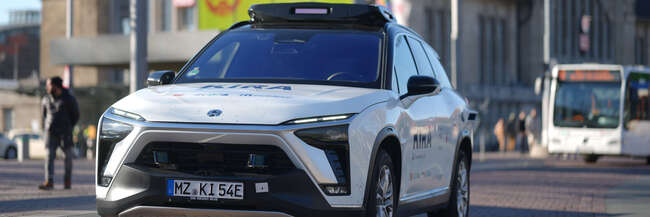
Autonomes Fahren im ÖPNV: KIRA fährt mit Passagieren in Darmstadt
Das Pionierprojekt KIRA für autonomen öffentlichen Personennahverkehr (ÖPNV) ist nun auch in nördlichen und westlichen Stadtteilen Darmstadts mit angemeldeten Testnutzerinnen und -nutzern unterwegs. Diese können die Shuttles nun erstmals in einer Großstadt buchen und nutzen.

aktuell
Gravierende Einschränkungen im Bahnverkehr
Das Jahrzehnt des Bauens hat Fahrt aufgenommen. Mehr als 800 Neubau- und Instandhaltungsmaßnahmen im Schienennetz Rhein-Main schaffen die Grundlage für mehr Kapazitäten und einen zuverlässigeren Verkehr. So wichtig die Bauarbeiten auch sind – zusammen mit dem Personalmangel lassen sich Einschränkungen leider nicht vermeiden.
Freizeittipps für das RMV-Gebiet
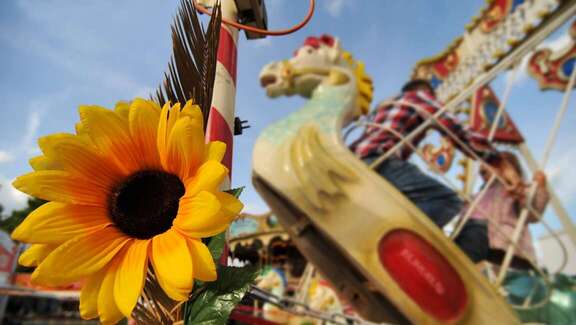
Ob Sportveranstaltung, Konzert oder ein Ausflug auf dem Wasser - das RMV-Gebiet hat jede Menge Highlights in den kommenden Tagen zu bieten. Wir haben einige Freizeittipps für Sie zusammengestellt, die Sie mit der ganzen Familie, mit Freunden oder auf eigene Faust erleben können.
© visitfrankfurt - Holger Ullmann

© ESWE Verkehr

© Frankfurter Personenschiffahrt, Primus Linie
Für alle Unternehmungslustigen haben wir noch mehr Veranstaltungs- und Ausflugstipps aufbereitet. Schauen Sie am besten gleich auf unserer Übersichtsseite nach. Viel Spaß! Weitere Tipps fürs RMV-Gebiet

aktuell
Deutschland-Ticket
Das Deutschland-Ticket gilt bundesweit im Nah- und Regionalverkehr für beliebig viele Fahrten. Kundinnen und Kunden können die Fahrkarte ausschließlich im Abonnement zum Preis von 58,00 € im Monat als HandyTicket über die App RMVgo oder als eTicket über den RMV-TicketShop und die Vertriebsstellen erwerben.